Microsoft has begun testing new gaming-focused features for Windows 11 and its Edge browser, including an HDR calibration app for Windows and visual enhancements for cloud-streamed games in Edge.
HDR calibration app arrives for Windows testing
Microsoft announced it will add an HDR calibration app to Windows for testing. The app lets users visually set shadow, midtone and highlight levels for their monitor — controls that are usually found within individual games but, until now, were not available at the system level in Windows 11.
The company first tested other game-related updates in February that allowed playing games in a windowed mode rather than exclusively full screen, and in May introduced the Xbox Controller Bar for Windows to beta builds, which enables navigation of Xbox-related apps with a controller. The HDR calibration tool joins these efforts to centralize display and game features in the OS.
Microsoft did not specify whether the HDR calibration tool will be included in the wider Windows 11 feature update scheduled for the second half of 2022 (2H22) or when it will be broadly available to all users.
Edge gets Clarity Boost and game-focused content
Microsoft is also updating the Edge browser to enhance the gaming experience. A new feature called Clarity Boost is designed to improve the visual quality of cloud-streamed games by compensating for the loss of definition caused by compressed video streams.
Based on a screenshot Microsoft provided, Clarity Boost’s effect appears modest on static images. However, as CNET pointed out, the underlying algorithms are intended to enhance moving scenes rather than still frames — the area where compressed streams most notably degrade image quality.
Efficiency mode and integrated game discovery
Both Windows 10 and Windows 11 received an Efficiency Mode that adjusts browser resource usage to prioritize visuals when a user launches a game. This mode aims to improve how the browser renders content tied to gaming while the system is focused on running games.
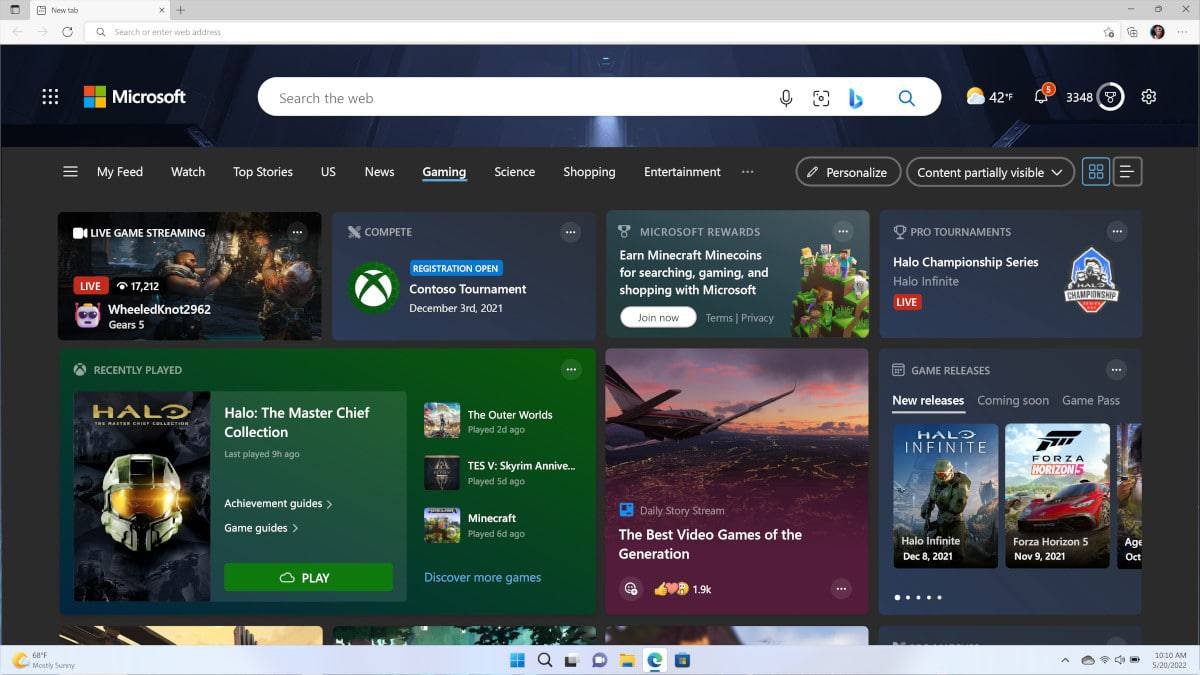
Edge’s start pages have also been updated to surface game-related news, game advertisements and streams, with deeper integration for Xbox Cloud Gaming. The browser includes a new menu highlighting free browser-based games, making it easier for users to discover playable titles directly from Edge.