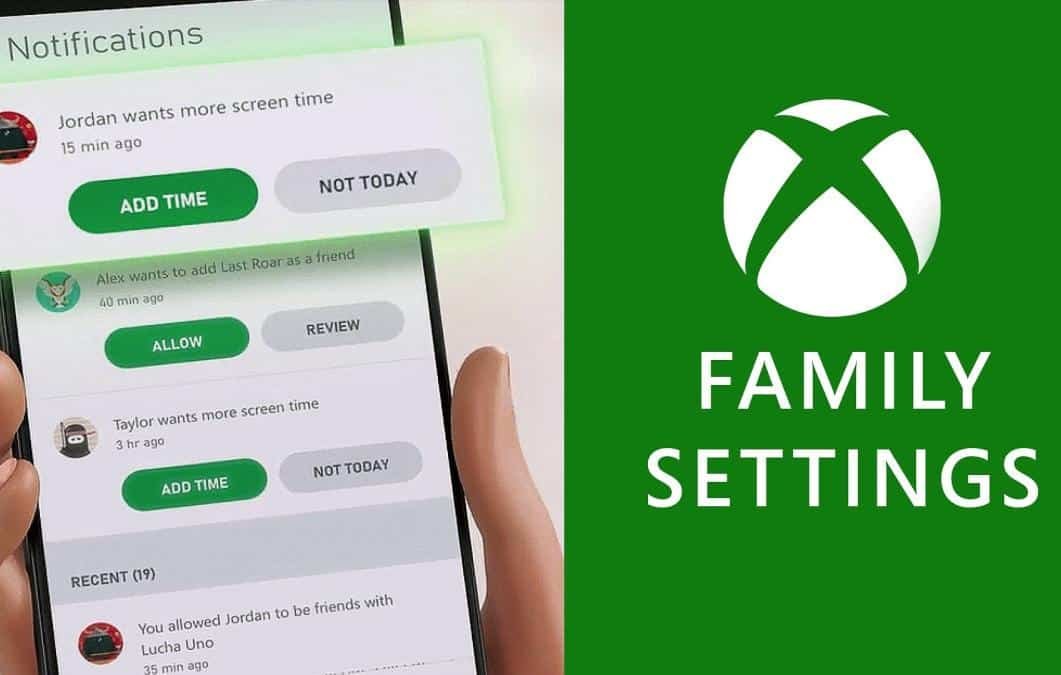
Microsoft has released the Xbox Family Settings app for Android and iOS, giving parents and guardians tools to set daily screen-time limits, manage friend lists and approve or deny requests from children and teens.
What the app does
The app lets adults create child accounts and apply predefined settings intended to promote a balanced relationship with gaming. Parents can set daily screen-time allowances, review usage reports and define content filters for the accounts under their supervision.
Requests and permissions
Since the preview released in May, Microsoft expanded the app’s capabilities to allow children and teens to send requests for additional screen time or other permission changes. Guardians receive those requests and can either approve or deny them directly from the app.
Friend list controls and specific game access
Family Settings gives parents more oversight of a child’s friends on Xbox. Adults can accept or refuse friend requests on behalf of the child, helping control who can interact with them on the platform.

Minecraft and younger players
The app also provides a simple method for permitting access to specific games. Microsoft said adults can allow younger children to play Minecraft—considered unsuitable for those under 10—by granting permission with a single click. Microsoft indicated it is likely to add similar controls for other games in the future.
Compatibility and rollout
The Xbox Family Settings app already works with Windows and Xbox One. Microsoft said the app’s controls will apply to the new Xbox Series X and Xbox Series S consoles when they arrive on the market in November.
Source: Engadget