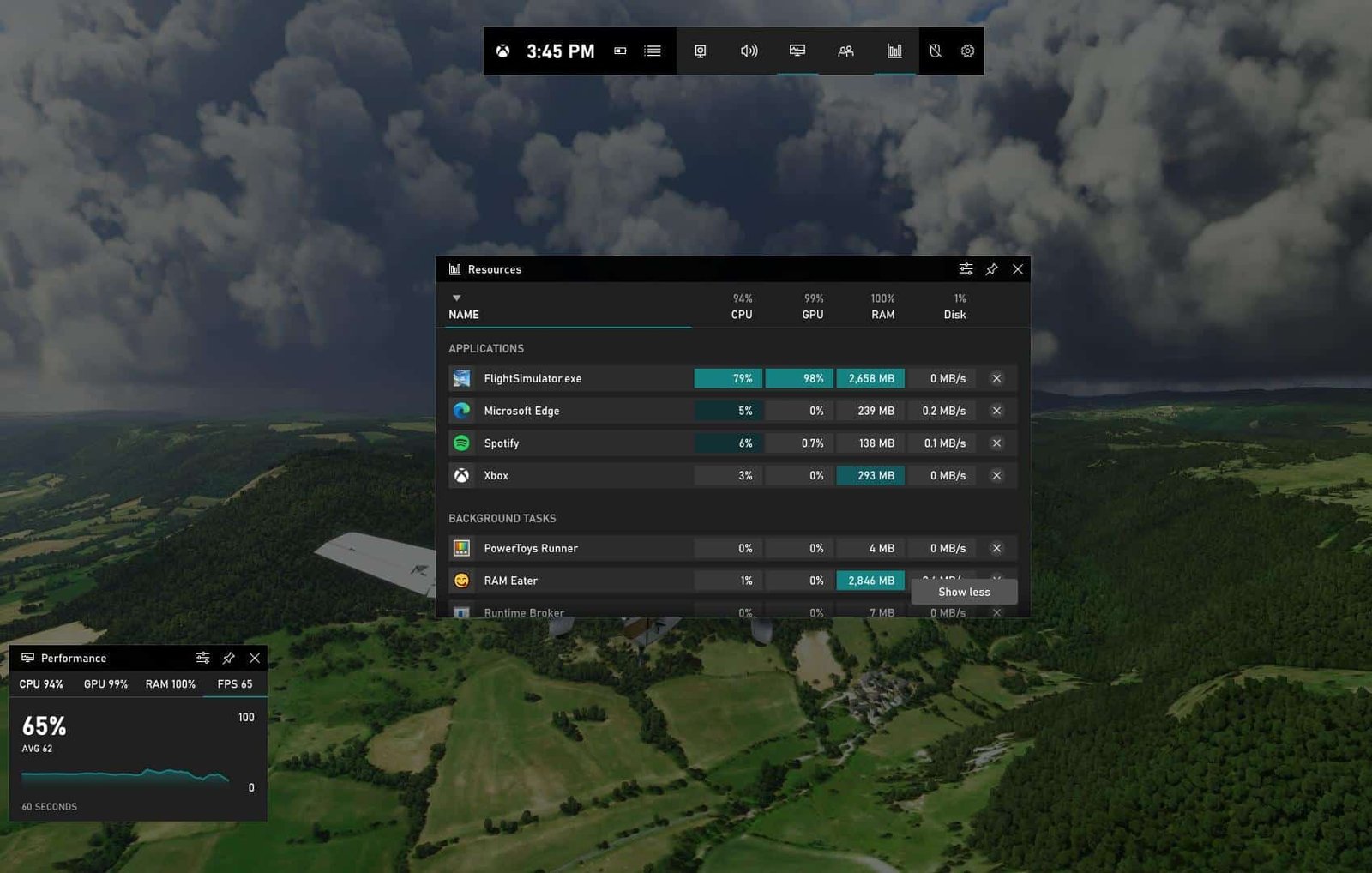
Microsoft has updated the Xbox Game Bar on Windows 10 to display real-time statistics showing which applications are consuming RAM, CPU and GPU resources. The feature lists running tasks by impact level and lets users close resource-hungry processes without exiting a game.
How the new resource view works
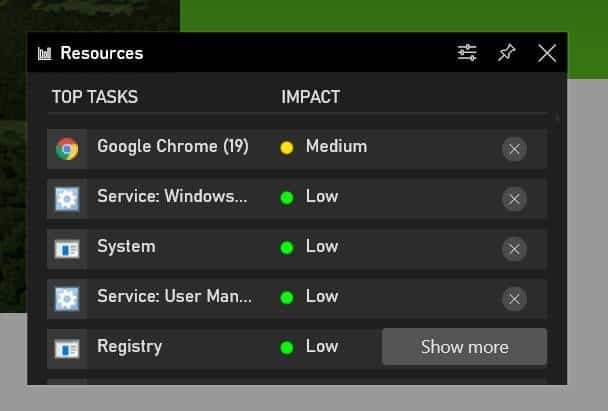
The updated overlay classifies running tasks into low, medium or high consumption categories. Users can pin the resource bar to the desktop or open it during gameplay, allowing quick identification and termination of programs that are affecting system performance.
DirectX 12 Ultimate guidance added
Alongside the resource monitoring panel, Xbox Game Bar gained a new section that provides information about DirectX 12 Ultimate, the API designed to align graphics technology between PC and Xbox Series X.
Rollout and availability
Microsoft began a gradual rollout of the update that includes the revised task/resource bar. Because distribution is phased, the feature may not yet be available to all Windows 10 users.
Related Windows interface changes
Microsoft is also planning broader interface updates for Windows 10 as part of a major update codenamed “Sun Valley,” expected late in 2021. According to reports, the Windows Devices and Experiences team, led by Panos Panay, is driving the effort after the company said in May it would “reinvest in Windows 10.”
Sources indicate the Sun Valley update could introduce new experiences centered on the Start menu and Action Center—likely influenced by Windows 10X designs but adapted for desktop PCs—as well as a modernized taskbar and a redesigned File Explorer.
Source: The Verge