
Microsoft is rolling out a significant March update for Xbox Series X|S and Xbox One that focuses on Quick Resume improvements, a customizable Share button on the Xbox Wireless Controller and a new audio setup assistant designed to simplify HDMI audio and speaker configuration.
Pin two games to Quick Resume
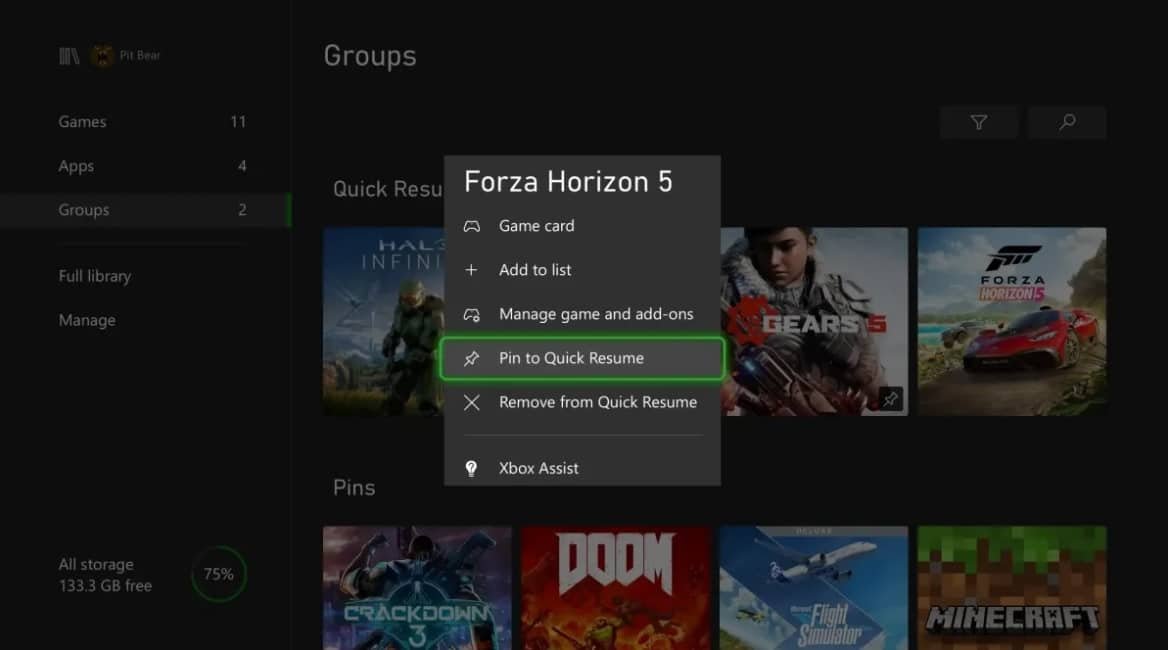
The update allows players to pin up to two games in Quick Resume, making it faster to switch between favorite titles. Pinned games remain in Quick Resume until you remove them manually or until a pinned title requires a mandatory update.
To pin a game, select it, press the Menu button and choose “Pin to Quick Resume.” If two games are already pinned, the system will prompt you to select which one to replace.
Share button gains remapping and shortcuts
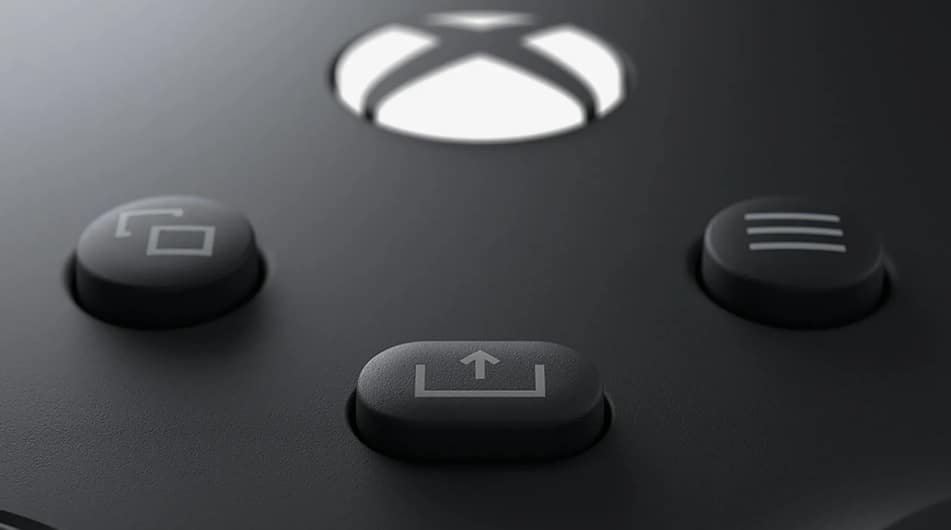
The dedicated Share button on the Xbox Wireless Controller, used to capture screenshots and clips, now supports remapping to customized actions. New shortcut options include muting the TV, opening the friends list, viewing achievements and more, giving players faster access to common functions without navigating menus.
New audio setup assistant
Xbox’s audio setup assistant is introduced to help test and verify HDMI audio formats and detect connected speakers on both Xbox Series X|S and Xbox One consoles. The assistant also recommends optimal settings for a user’s A/V configuration, aiming to streamline setup and ensure correct audio output.
Why the update matters
By prioritizing Quick Resume pinning, Share button flexibility and clearer audio setup, the update targets both convenience and personalization across Xbox consoles. The improvements are presented as responses to user feedback and intended to refine daily use and media setup.