Game performance can be improved without drastically lowering visual quality by using GPU upscaling technologies. NVIDIA’s DLSS, AMD’s FSR and Intel’s XeSS each aim to raise frame rates by rendering frames at a lower internal resolution and reconstructing a higher-resolution output, but they differ in implementation, hardware requirements and game support.
How NVIDIA DLSS works
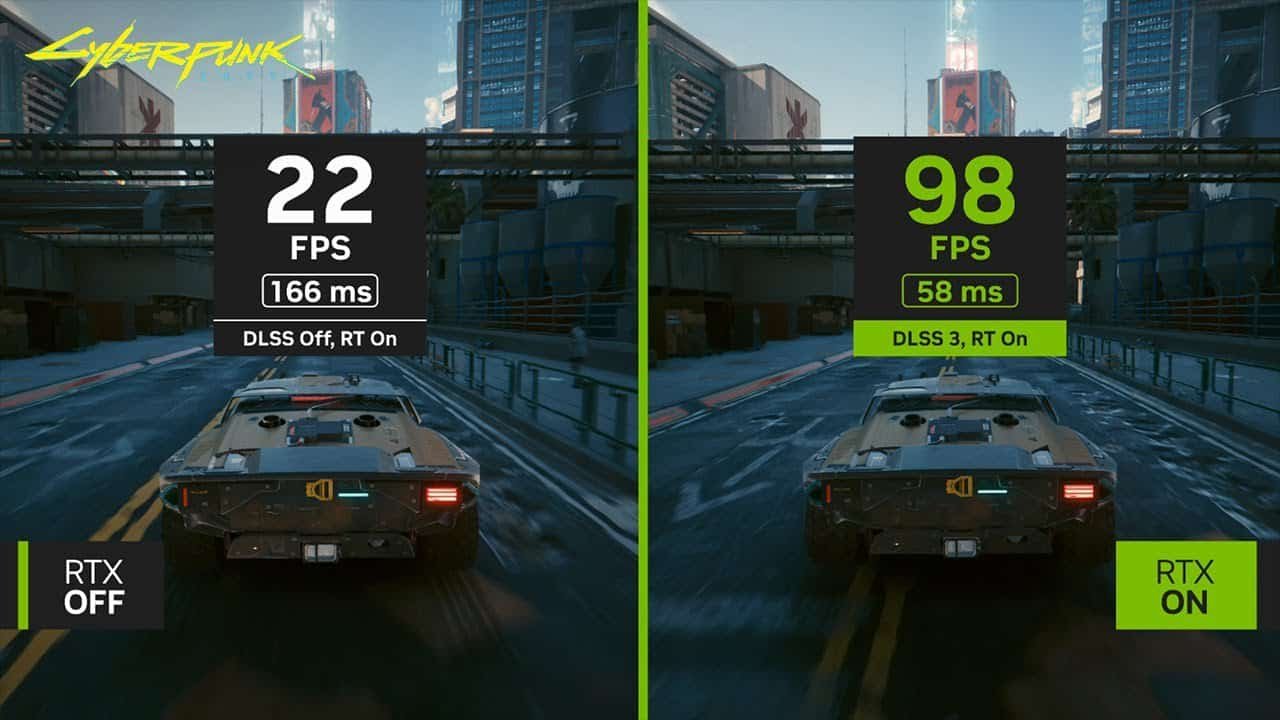
DLSS (Deep Learning Super Sampling) uses artificial intelligence and dedicated Tensor Cores to upscale and generate frames. The system takes lower-resolution frames and, using motion data and AI models, reconstructs them at the target resolution while reducing the GPU workload.
In practice, DLSS is designed to increase frame rates while preserving image detail as much as possible.
Benefits of DLSS
The main strength of DLSS is image quality. Its performance gains are most noticeable at 1440p and 4K, particularly when ray tracing is enabled in supported games. Newer DLSS versions add features such as Ray Reconstruction to clean up ray-traced lighting and reflections, and DLSS 4.5 Super Resolution, which uses significantly more compute to reduce monitor ghosting and stabilize motion.
DLSS compatibility
DLSS is limited to NVIDIA GPUs, starting with the RTX 20 series. Specific advanced features require newer generations: DLSS Frame Generation needs an RTX 40, while multi-frame generation features like DLSS Multi-Frame Generation and DLSS 4.5 Dynamic Multi Frame Generation require an RTX 50. Information about which series will support DLSS 5 has not been disclosed.
How AMD FSR works
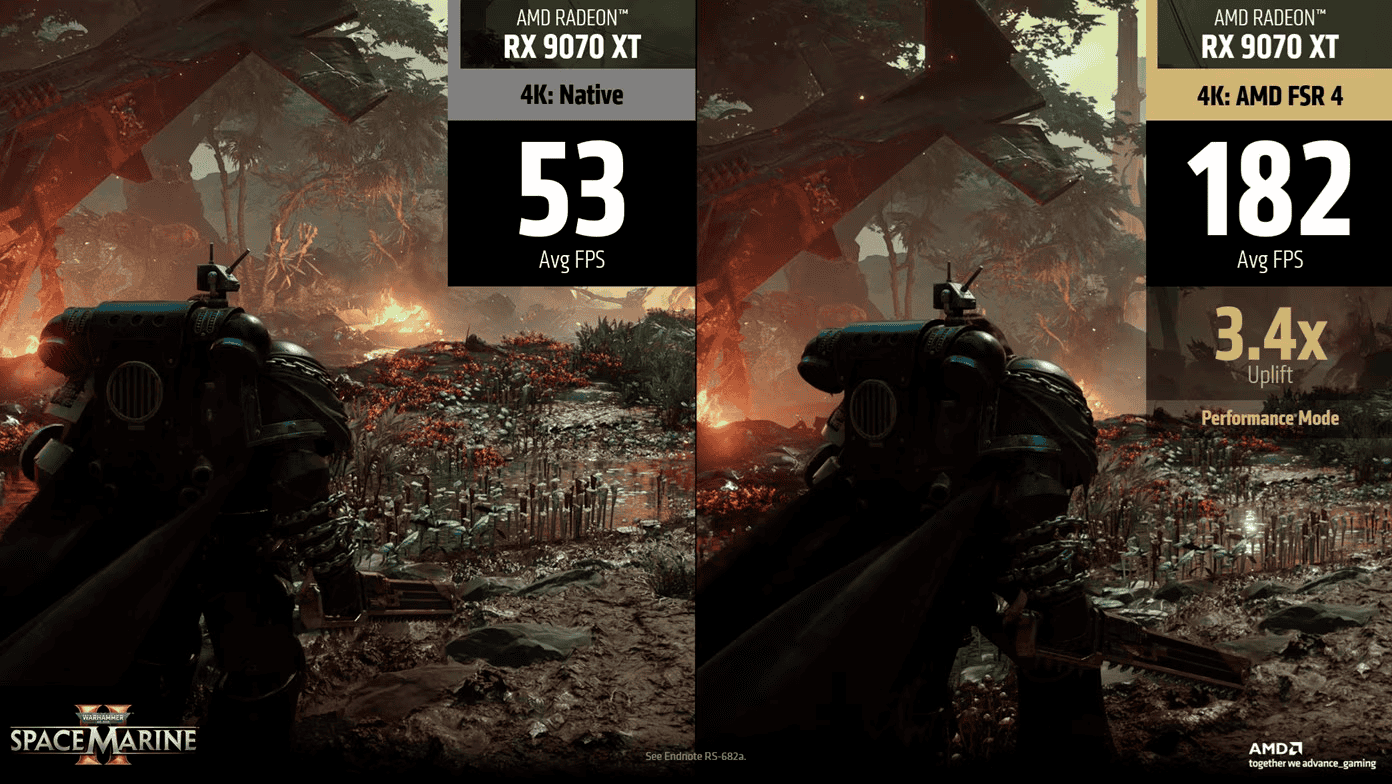
FSR (FidelityFX Super Resolution) is AMD’s upscaling and frame generation solution. It operates similarly to DLSS in intent but emphasizes broad hardware compatibility rather than exclusive use of vendor-specific AI cores.
Benefits of FSR
FSR’s biggest advantage is compatibility: depending on version and game support, it can run on AMD, NVIDIA and Intel GPUs. This makes it practical for systems without RTX hardware, older GPUs or mixed hardware setups. Although FSR may not match DLSS’s image fidelity in complex scenes on RTX cards, it is often the best option for users without NVIDIA’s RTX series or with legacy hardware.
FSR compatibility by version
FSR support varies with version:
- FSR 1–2: AMD RX 400 through RX 7000 series, NVIDIA GTX 1000 series onward, and Intel integrated/dedicated GPUs with Arc architecture.
- FSR 3: AMD RX 5000 series or newer, NVIDIA RTX 20 series onward.
- FSR 4: AMD RX 9000 series, with no native support for NVIDIA or Intel.
Community-made methods exist to inject FSR 4 files into games that support FSR 3.1 on NVIDIA hardware, but these are unofficial, potentially unoptimized and may cause incompatibilities depending on the system.
How Intel XeSS works
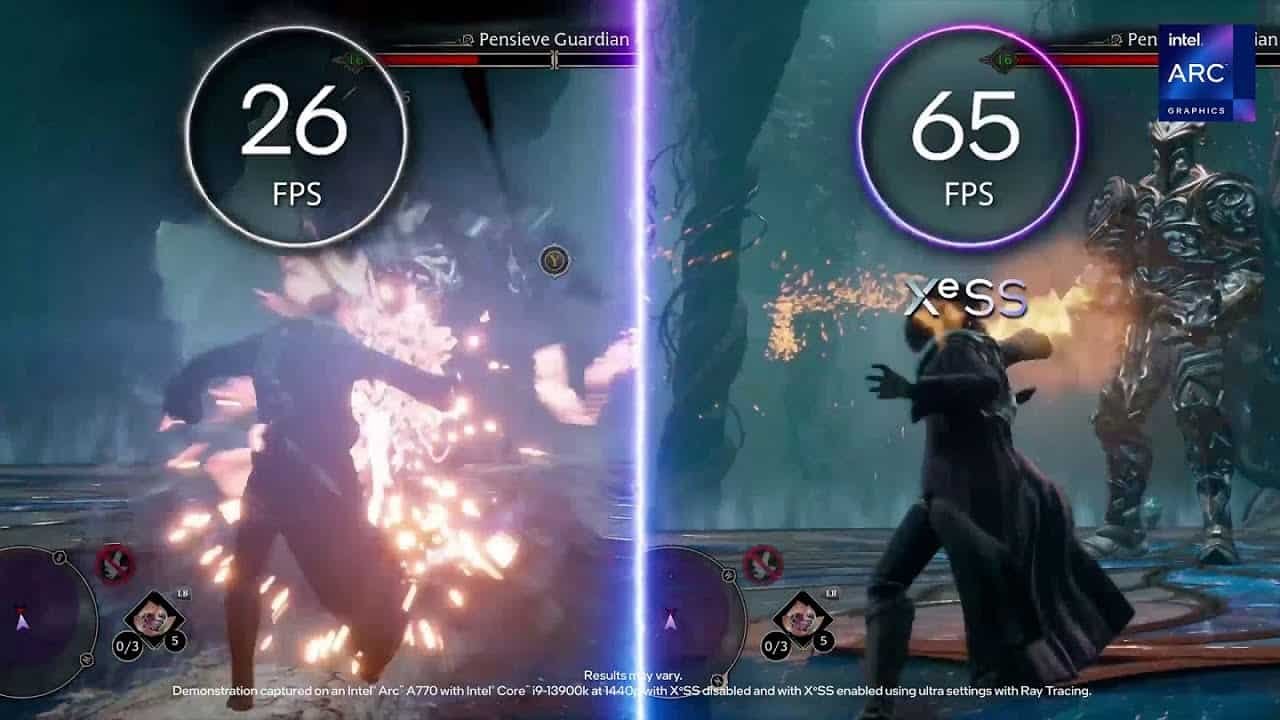
XeSS (Xe Super Sampling) is Intel’s AI-driven upscaling solution. It renders at a lower internal resolution and reconstructs a higher-resolution output, with best results on Intel Arc GPUs. Some XeSS features can also run on non-Intel GPUs in certain games.
Benefits of XeSS
XeSS delivers strong performance on Intel hardware. On Intel Arc GPUs, dedicated AI units called XMX (Xe Matrix Extensions) provide higher image quality and improved frame-rate gains, in some cases approaching DLSS-level results on those GPUs.
XeSS compatibility
On Intel hardware, XeSS uses XMX cores for superior quality and performance, and it supports Intel Arc discrete GPUs and integrated graphics in Intel Core Ultra processors. For other hardware, XeSS falls back to DP4a instructions, which offer lower performance but still provide meaningful frame-rate improvements. Compatible hardware includes:
- NVIDIA GeForce GTX 10 (Pascal), GTX 16 and RTX 20 series and newer.
- AMD Radeon RX 5000 series and newer.
- Modern Intel integrated GPUs such as Intel Iris Xe or newer, and recent AMD Ryzen integrated graphics.
Despite this broad hardware compatibility, XeSS currently has more limited game support compared with DLSS and FSR, making availability in mainstream PC titles a key consideration.
Which upscaling should you use?
The best upscaling option depends on your hardware. For systems with compatible NVIDIA RTX GPUs, DLSS is generally the preferred choice. For older GPUs or setups requiring cross-vendor compatibility, FSR is often the most practical. For Intel Arc discrete GPUs and supported Intel integrated graphics, XeSS typically offers the best results.