Xbox Cloud Gaming, often called xCloud, allows players to stream Xbox games without owning a high-end PC or a current-generation console. The service launched in 2019 and became available to Xbox Game Pass subscribers in 2021.
What xCloud offers and its limits
The service streams games to compatible devices with resolutions up to 1080p and 60 frames per second. It supports Windows and Android through dedicated apps, while iPhone and Mac users access the service through a web browser.
Cloud gaming’s main constraint is internet quality: stable, low-latency connections are required for a satisfactory experience. That requirement can limit access in regions with weaker or inconsistent connectivity.

Do you need a controller?
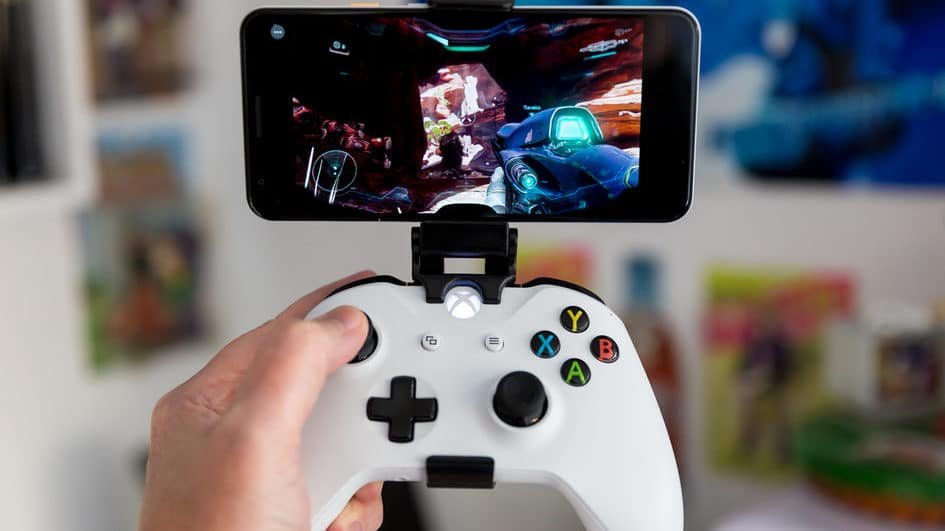
While some titles can be played using touch controls on mobile devices, not all cloud games are adapted for smartphone screens. For the broadest compatibility and best experience, using a joystick is recommended.
How to subscribe and start playing
Xbox Cloud Gaming is not available as a standalone service. To use xCloud you must subscribe to Xbox Game Pass Ultimate. The current monthly price is R$ 44,99, with a promotional first month available for R$ 5.
Xbox Game Pass Ultimate grants access to games on console and PC as well as cloud streaming, along with day-one access to certain first-party titles, exclusive offers and an expanding catalog of games.
Step-by-step setup
After creating a Microsoft account and subscribing to Xbox Game Pass Ultimate, follow these steps:
- On Windows: download the Xbox app from the Microsoft Store.
- On Android: install the Xbox app from Google Play.
- On iPhone or Mac: open the Xbox website in a supported web browser.
Once the app is installed, add the optional “game services” package if prompted. Then open the app, go to the “Cloud Games” (or “Games in the cloud”) tab and choose the game you want to play.
Where to get more details
For additional information about plans, availability and supported devices, consult the official Xbox Game Pass pages and documentation linked by the service. Click here for more details or access the Xbox site via your browser using this link: Xbox web.